
Complimus
Complimus
  • Docs
  • Changelog
Docs / Omnibus Pricing

Update Omnibus Price Immediately When You End a Campaign

How to update the Omnibus price immediately on your store when you end a campaign

Step 1: Remove the product(s) from your campaign.

Step 2: Click "Refresh data", and the app will calculate the normal prices. This might take a moment depending on the amount of variants, so please be patient.
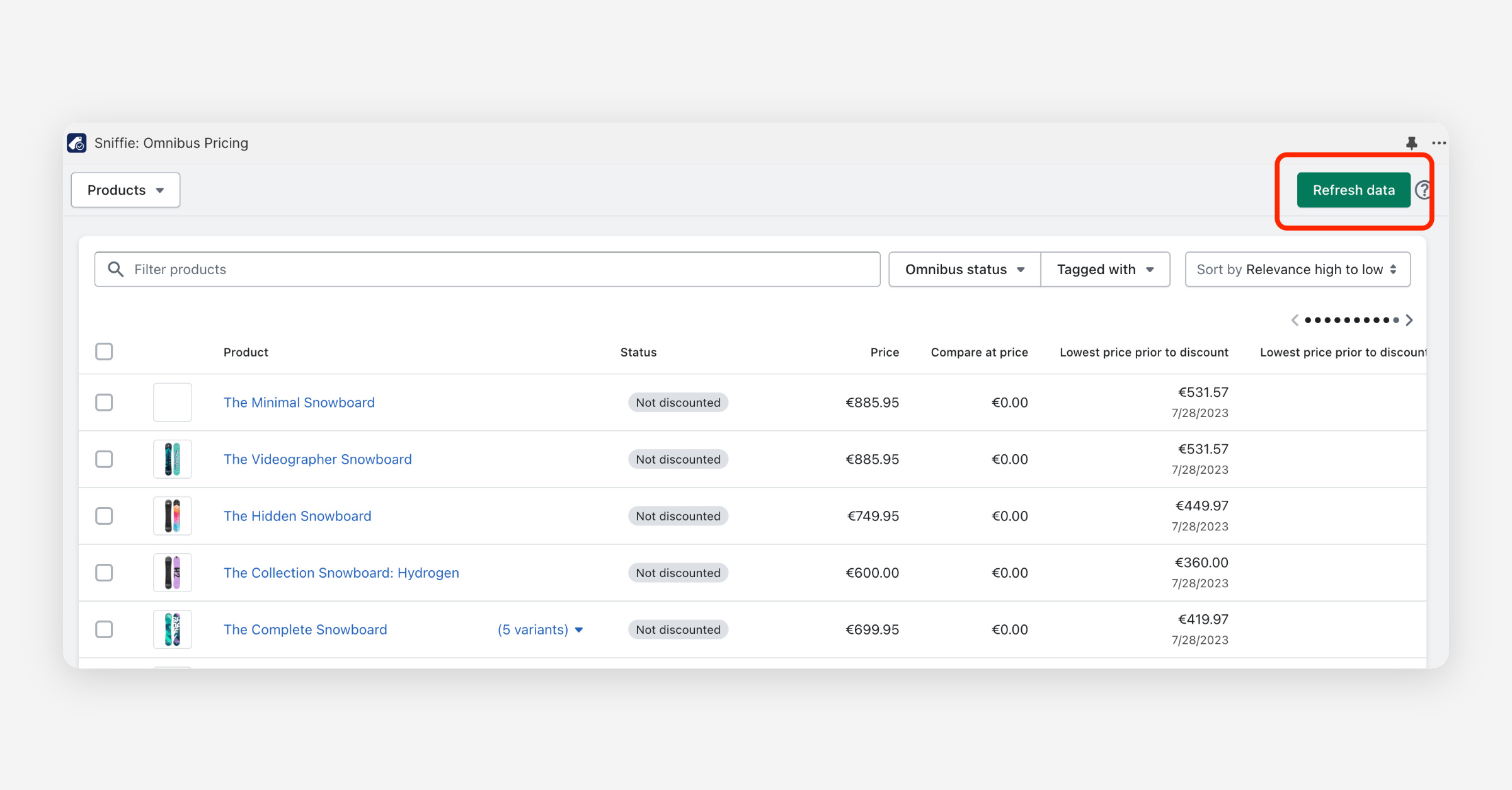
All set! The previous campaign price is now your new Omnibus price.

Optional: If you want to start a new campaign, place the desired product(s) in the campaign after the calculation from step 2 is ready.

PrevOmnibus Pricing Settings: Campaign Length, Calculation Timeframe, and Discount identification
NextHow The Lowest Price information is calculated in Omnibus Pricing
Was this helpful?
    • Omnibus Pricing App FAQ
    • Details on the EU Omnibus Pricing directive and how we calculate lowest price information
    • Getting Started with Shopify Omnibus Pricing
    • Omnibus Pricing Settings: Campaign Length, Calculation Timeframe, and Discount identification
    • Update Omnibus Price Immediately When You End a Campaign
    • How The Lowest Price information is calculated in Omnibus Pricing
    • Pricing details - Omnibus Pricing App
    • How to Show the Lowest Price on Your Storefront
    • How to Display the Lowest Price Information on a Product Collection Page
    • How to Add Lowest Price Information to Your Storefront Without Extension by editing liquid code (technical)
    • How to Translate "Display Lowest Price Information" in Different Languages & Currencies
    • Displaying Price Changes with Theme app Extension